ai-robot-zhangxiao
Week 06 - ROS2 工作空间运行与全景监控
本周运行 ros2_ws 项目,加载 KITTI 数据并在 RViz2 中实现全景监控效果展示。
本周目标
- 创建并编译 ROS2 工作空间。
- 下载课程提供的图像数据资源。
- 运行
ros2_kitti_publishers节点。 - 在 RViz2 中加载配置并查看全景监控效果。
文件说明
| 文件 | 说明 |
|---|---|
README.md |
本周实验说明。 |
img1.png |
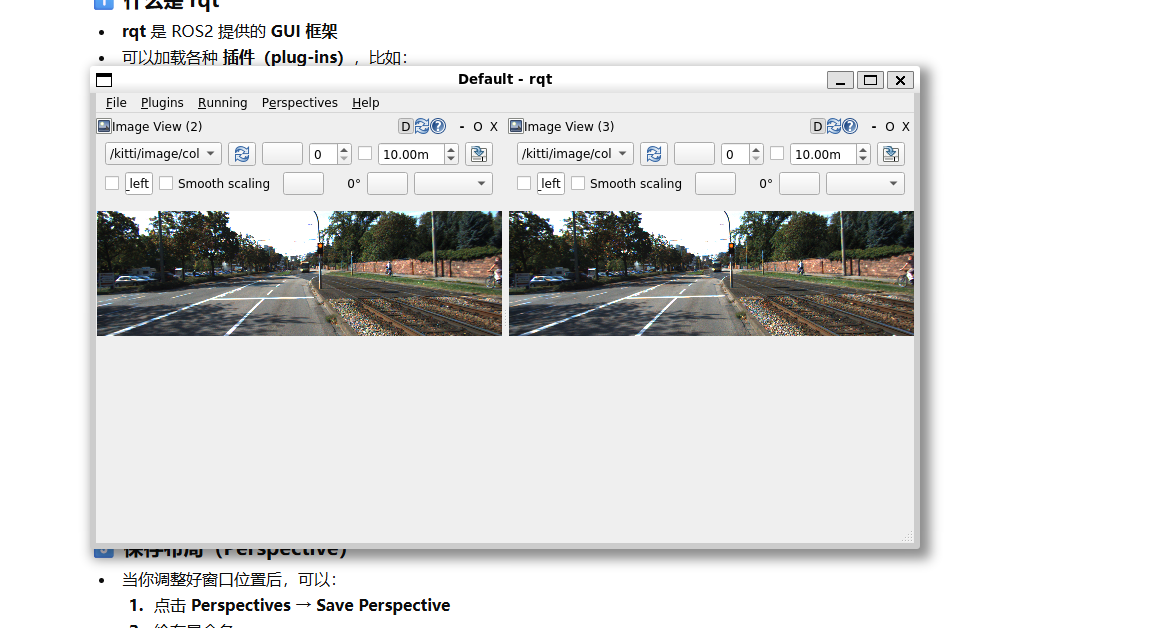
节点运行或数据发布效果截图。 |
img2.png |
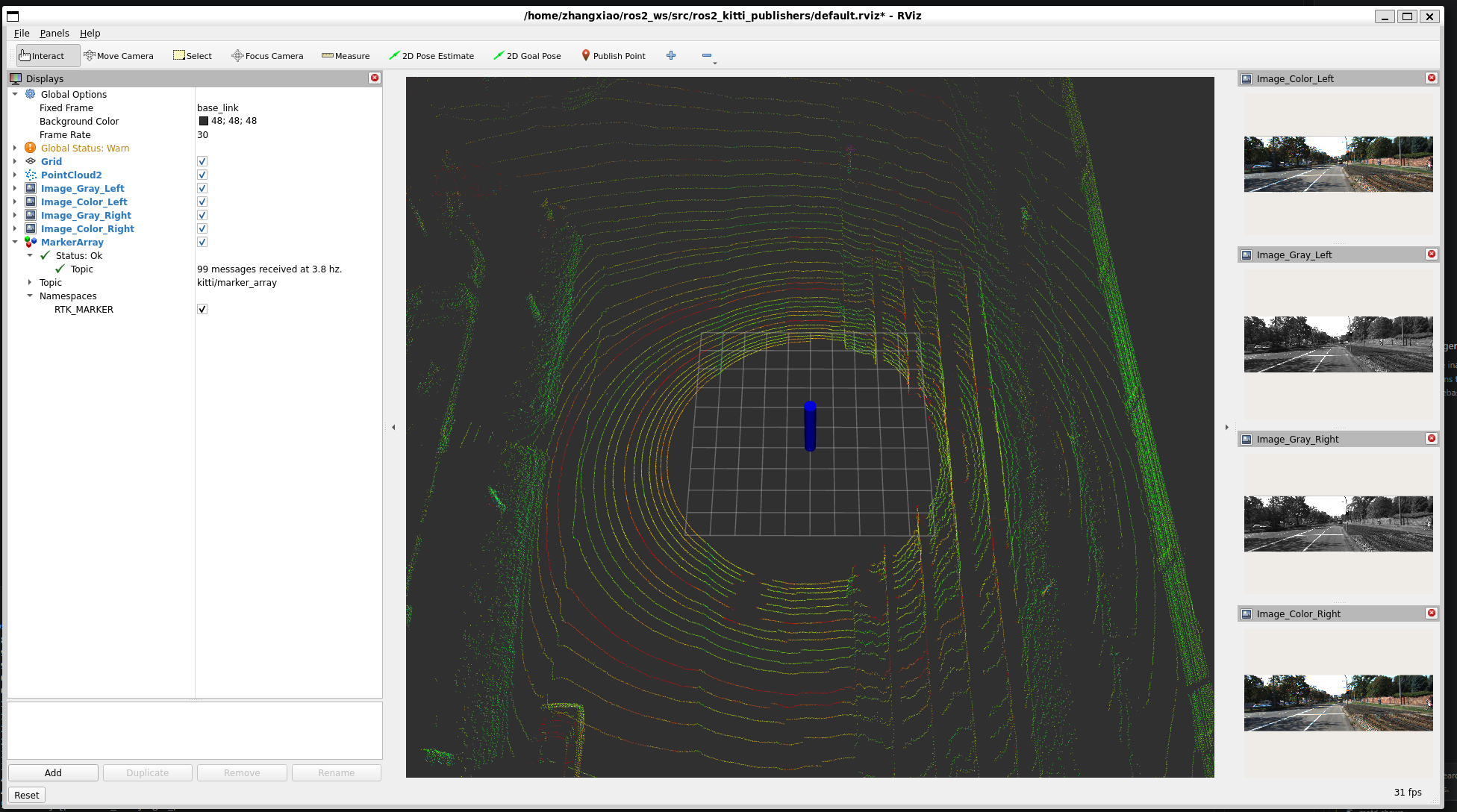
RViz2 可视化配置效果截图。 |
准备数据与代码
创建工作空间并克隆项目:
mkdir -p ~/ros2_ws/src
cd ~/ros2_ws/src
git clone https://github.com/ai-robot-class/ros2_kitti_publishers.git
下载课程数据文件,并放入工作空间的数据目录,例如:
\\wsl.localhost\Ubuntu-22.04\home\zhangxiao\ros2_ws\data
数据下载地址:
https://drive.google.com/file/d/1lCOOkoUp1RRrFhUwRVNVwRWIclv-etBu/view?usp=drive_link
编译与运行
编译工作空间:
cd ~/ros2_ws
colcon build --cmake-clean-cache
source ./install/setup.bash
运行数据发布节点:
ros2 run ros2_kitti_publishers kitti_publishers
打开另一个终端,启动 RViz2:
ros2 daemon start
rviz2
在 RViz2 中选择:
File -> Open Config
加载配置文件:
~/ros2_ws/src/ros2_kitti_publishers/default.rviz
结果展示
RViz2 配置效果
数据发布效果
学习总结
本周重点是理解 ROS2 工作空间的标准流程:克隆源码、编译、加载环境、运行节点、使用 RViz2 可视化数据。这为后续传感器数据处理和机器人感知系统开发提供了基础。